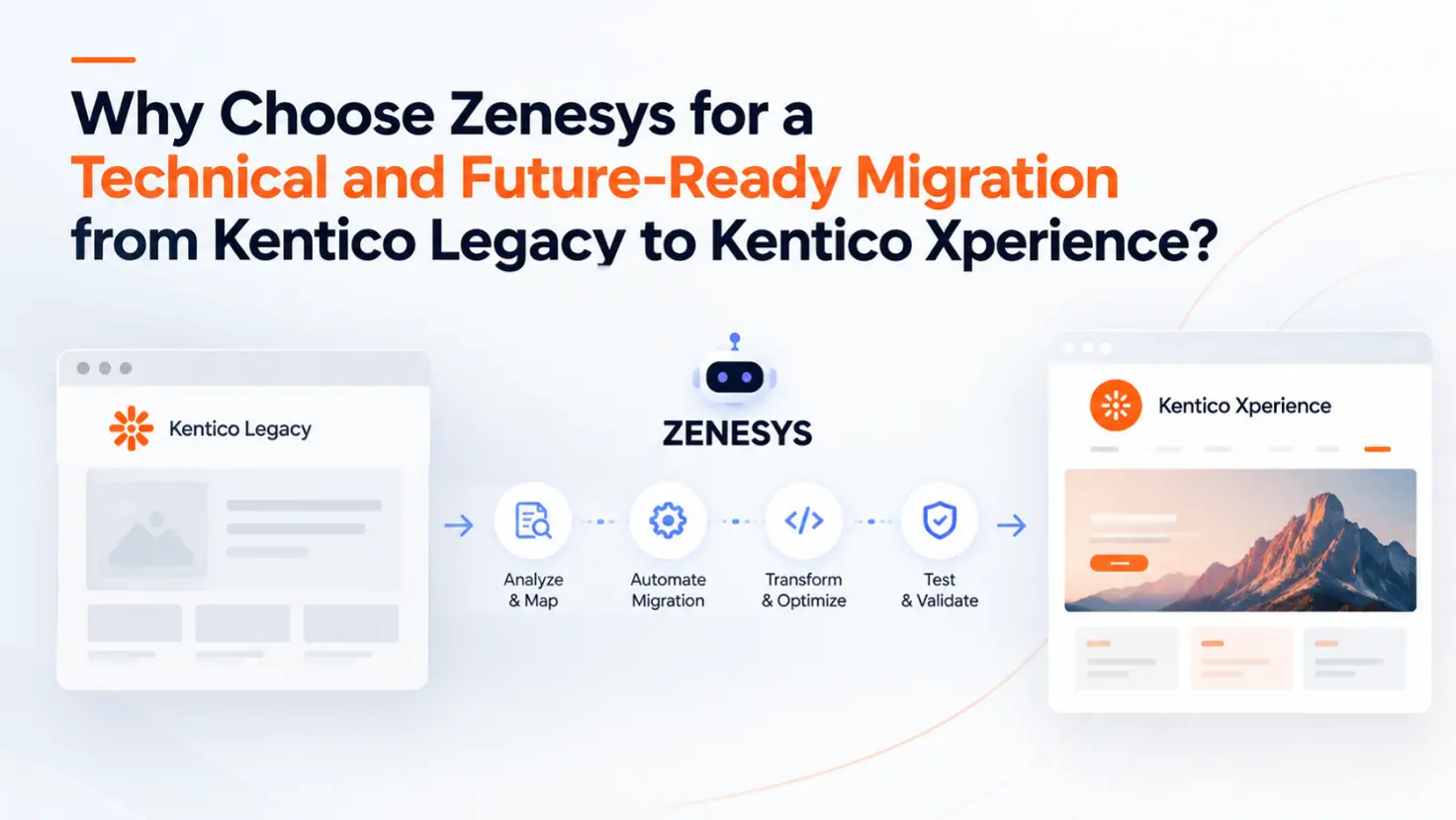
Fair questions. Here's how we answer them at Zenesys.
Fair questions. Here's how we answer them at Zenesys
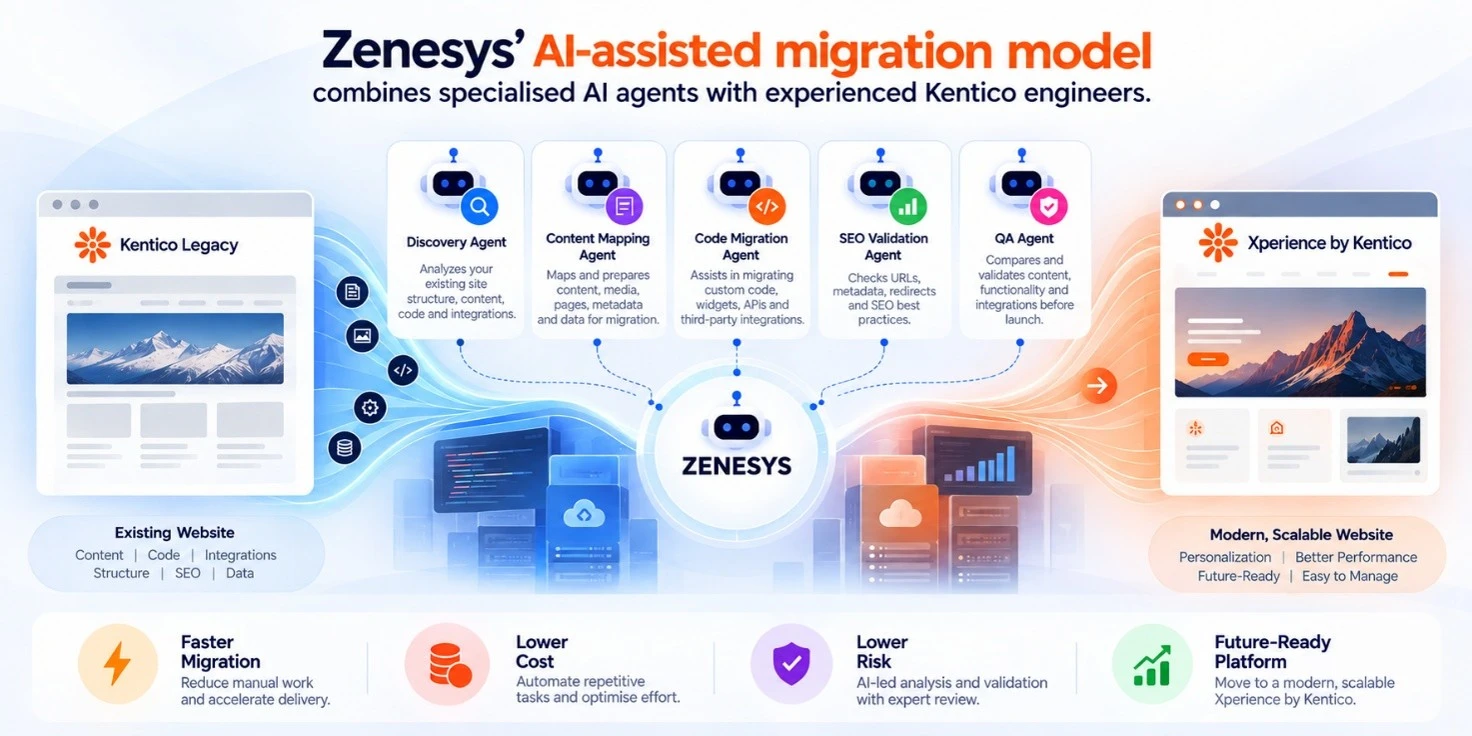
We pair Kentico and .NET engineers with purpose-built AI agents and automation bots, and every output goes through human review. The agents take the repetitive, pattern-heavy work: inventory, mapping, transformation scripts, comparison and documentation. The engineers take everything that needs judgment: architecture, business logic, integrations, security, performance and sign-off.
The principle we work to:
Automate what can be automated. Engineer what needs engineering. Validate everything.
Why the clock matters
Kentico has stated that Xperience 13 support ends on December 31, 2026. During 2026, support is limited to technical support and security hotfixes. After that date, you're running a platform without normal maintenance.
But a deadline isn't the only reason to move. Anyone who has inherited a decade-old Kentico solution knows what's in there:
- Custom page types and module classes that nobody remembers writing
- Widgets and Page Builder sections with undocumented assumptions
- Event handlers wired into the content lifecycle
- Scheduled tasks, custom data providers and search integrations
- Years of media, metadata and redirect rules
- Third-party connections (CRM, ERP, payment, analytics) held together by tribal knowledge
Rebuilding all of that by hand is slow, and the cost comes from the volume of repetitive work, not from the hard problems.
Where traditional migrations lose time
The classic flow looks like this:
In practice, engineers end up inspecting thousands of pages, tracing content relationships, reading through field definitions, comparing URLs one by one and re-running the same checks every sprint. It's necessary work, but it isn't where engineering skill adds value.
| Activity | Traditional approach |
| Site discovery | Manual crawl and review |
| Content inventory | Spreadsheets |
| Page type / field mapping | Developer-driven |
| Content transformation | Hand-written scripts + manual spot checks |
| Code analysis | Engineer by engineer |
| SEO mapping | Manual URL review |
| Documentation | Written after the fact (if at all) |
| Validation | Large manual QA effort |
| Issue detection | Often late, sometimes post-launch |
| Cost | Scales with headcount |
| Speed | Limited by team size |
The bigger the site, the worse it gets. And every hour spent on repetitive review is an hour not spent on the parts that carry risk.
How we do it differently
Our agents are not a generic chatbot sitting next to the dev team. Each one is scoped to a specific migration task, with defined inputs, outputs and review points. Think of them as a digital migration crew working alongside the human team.
What each agent actually does
1. Discovery Agent: a technical inventory, not a blank spreadsheet
The first agent analyses the existing solution and the live site to build a structured inventory of:
- Site tree, page types and content relationships
- Custom modules, widgets, form components and Page Builder usage
- Media libraries and attachments
- Multilingual structure and culture variants
- Integration points and external dependencies
- Patterns that are likely to be migration risks (heavy custom classes, Portal Engine-era logic, deprecated APIs)
Engineers start the project knowing what's actually in the solution, instead of finding out in week six.
2. Content & Data Mapping Bot: the repetitive middle
Content migration is the most repetitive part of any CMS move. The bot proposes and maintains the mapping between your existing structure and the target Xperience by Kentico model:
| Kentico Legacy | Xperience by Kentico |
| Page type | Content type |
| Custom field | Structured field / reusable field schema |
| Media library | Media library in the new admin |
| Page metadata | SEO fields |
| Category | Taxonomy |
| Related content | Content relationship |
It flags mismatches (a field type with no clean equivalent, a relationship that needs restructuring, content that's better reused than duplicated), prepares transformation rules and keeps the mapping documented as it evolves.
Kentico's own Migration Toolkit supports data migration and custom transformations, and Kentico's developer documentation now describes AI-assisted migration with KentiCopilot. We build on these capabilities and add project-specific automation around them.
3. Personalised Code Migration Agent
Custom code is where migrations get hard. Legacy sites rarely run on standard CMS features alone. You'll find custom modules, widgets, business rules, APIs, data providers, scheduled tasks, authentication logic and search implementations.
Our code agent helps engineers to:
- Identify migration candidates and group similar patterns
- Surface deprecated APIs and architectural differences early
- Generate transformation suggestions for repeatable patterns
- Highlight code that needs a human rewrite rather than a port
It does not blindly convert code. It cuts the time engineers spend reading and classifying it, so they can spend that time on design decisions. Kentico documents agent-assisted code migration workflows for Xperience 13 solutions, and we apply the same thinking with project-specific context.
4. SEO Migration Agent
SEO is easy to damage and slow to recover. A site can launch looking perfect and still lose organic traffic because of:
- Changed URLs or missing 301s
- Dropped or rewritten metadata
- Broken internal links
- Incorrect canonicals
- Lost structured data
- Indexation problems
- Changed image URLs
The agent crawls the legacy site and the new build, compares them and reports the differences, so we catch them in staging, not in Search Console.
| SEO area | Legacy | New Xperience site | Validation |
| URLs | Existing structure | Target structure | ✅ |
| Metadata | Existing | Migrated / updated | ✅ |
| 301 redirects | Existing URLs | Redirect map | ✅ |
| Canonicals | Existing | Revalidated | ✅ |
| Sitemap | Existing | Rebuilt | ✅ |
| Internal links | Existing | Crawl comparison | ✅ |
| Structured data | Existing | Reimplemented | ✅ |
| Robots | Existing | Revalidated | ✅ |



.webp?lang=en-US&ext=.webp)

.webp?lang=en-US&ext=.webp)